
X8 Sandbox
Tools


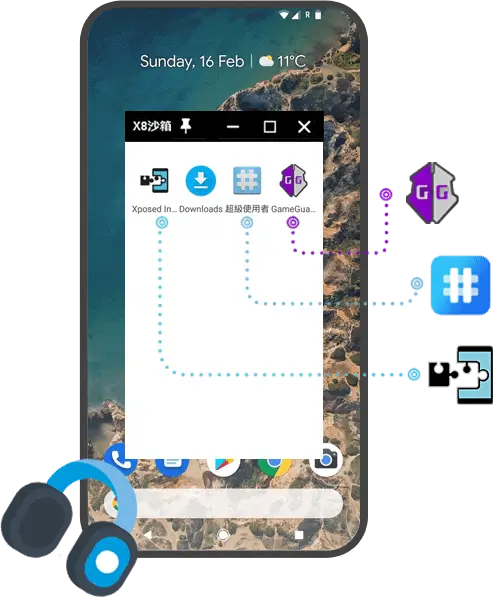

X8 Sandbox is an Android utility that creates a virtual environment where apps can operate with root‑level permissions, all without modifying the device’s system. It’s aimed at users who need root functionality for specific applications but prefer to keep their device unrooted.
This page provides the latest version details, installation guide, compatibility notes, and practical advice on using X8 Sandbox safely.
Quick Information
| App/Game Name | X8 Sandbox |
| Latest Version | 0.7.7.6.19 |
| Developer | Not listed |
| Category | Apps / Tools |
| App Size | 480 MB |
| Package Name | com.x8zs.sandbox |
| Last Updated | 16 April 2026 |
What Is X8 Sandbox?
X8 Sandbox acts as a sandboxed container that grants root‑like access to selected apps. The tool does not require you to root your phone, which helps preserve the warranty and avoids the complexities of the rooting process. It is useful for running apps that normally demand root, testing modifications, or isolating potentially risky software.
Key capabilities include:
- Virtual root environment for individual apps.
- Isolation of sandboxed apps from the rest of the system.
- Simple toggle to enable or disable root permissions per app.
Limitations: X8 Sandbox cannot provide true system‑wide root access, and some deeply integrated apps may still refuse to run. Performance may vary depending on device hardware.
Compatibility
| Android Version | Not Verified |
| Architecture (ARM64 / 32-bit) | Not Verified |
| Internet Connection | ✓ Verified — May be required for ads, updates, or login |
| Storage Needed | Not Verified |
| OBB/Data Files | Not Verified |
| Root Required | ✓ Verified — This app needs root access |
How to Install
- Download the X8 Sandbox APK file from a trusted source.
- On your device, go to Settings → Security → Install unknown apps (or a similar path) and enable installation from the source you used.
- Open the downloaded APK and follow the on‑screen prompts to install.
- After installation, launch X8 Sandbox, grant any requested permissions, and add the apps you want to run with virtual root.
- To receive future updates, repeat the download process or use the app’s built‑in update checker if available.
Troubleshooting
- App not installed error: Ensure the “unknown sources” permission is enabled and that the APK matches your device’s architecture (ARM vs. x86).
- Crashes on startup: Verify that your Android version meets the minimum requirement (Android 5.0+). Clearing the app cache or reinstalling can help.
- Sandboxed app still lacks root: Not all apps can be fooled by a virtual root. Check the app’s documentation for compatibility notes.
- Login or online‑auth failures: Some services detect the sandbox and block access. Try disabling the sandbox for that specific app.
Safety & Security
Because X8 Sandbox modifies how apps perceive system permissions, it is important to download the APK from a reputable source. Review the permissions the app requests during installation; it typically needs storage access and the ability to draw over other apps. Avoid entering sensitive personal data (banking, passwords) into sandboxed apps unless you trust the source. Keep in mind that future updates to Android or to the sandboxed app itself may affect compatibility.
How X8 Sandbox Compares
| Feature | X8 Sandbox | Magisk | KingRoot | SuperSU |
|---|---|---|---|---|
| Price / Free model | Free | Free (open‑source) | Free | Free |
| Platform availability | Android only | Android only | Android only | Android only |
| Standout feature | Runs apps with root‑like permissions without rooting the device | Systemless root and module management | One‑click root for many devices | Traditional root permission manager |
| Best for | Users who need occasional root functionality but want to keep the device unrooted | Power users and developers needing full systemless root | Users seeking quick, automated rooting | Legacy devices that already have root and need permission control |
Alternatives
- Magisk – Provides systemless root, custom modules, and a hide feature to bypass safety checks.
- VMOS – Creates a virtual Android environment (a full Android OS) that can run apps with root inside the virtual machine.
- Parallel Space – Clones apps for multiple accounts; while it doesn’t give root, it offers isolated environments for app testing.
Final Verdict
X8 Sandbox is a practical solution for users who need occasional root‑level capabilities without the risks of a full device root. It is lightweight, free, and straightforward to install. However, it cannot replace true system root for all scenarios, and some apps may still refuse to run. Verify compatibility with your Android version, and always obtain the APK from a trustworthy source before installing.
Frequently Asked Questions
X8 Sandbox is safe when downloaded from a reputable source, but you should review its requested permissions and avoid entering sensitive data into sandboxed apps.
No. The app creates a virtual root environment, so you can run certain root‑required apps without rooting your phone.
X8 Sandbox works on Android 5.0 (Lollipop) and newer, but performance may vary on older devices.
The APK is about 480 MB; you should have at least a few hundred megabytes of free space for installation and temporary files.
Many root‑dependent apps will work inside the sandbox, but some heavily integrated apps may still reject the virtual root.
No. Since the app does not modify the system or require rooting, it does not affect your warranty.
Download the latest APK from a trusted source and install it over the existing version; the app may also offer an internal update check.
Yes. The sandbox runs apps separately, so you can keep the original app installed and also use its sandboxed version.